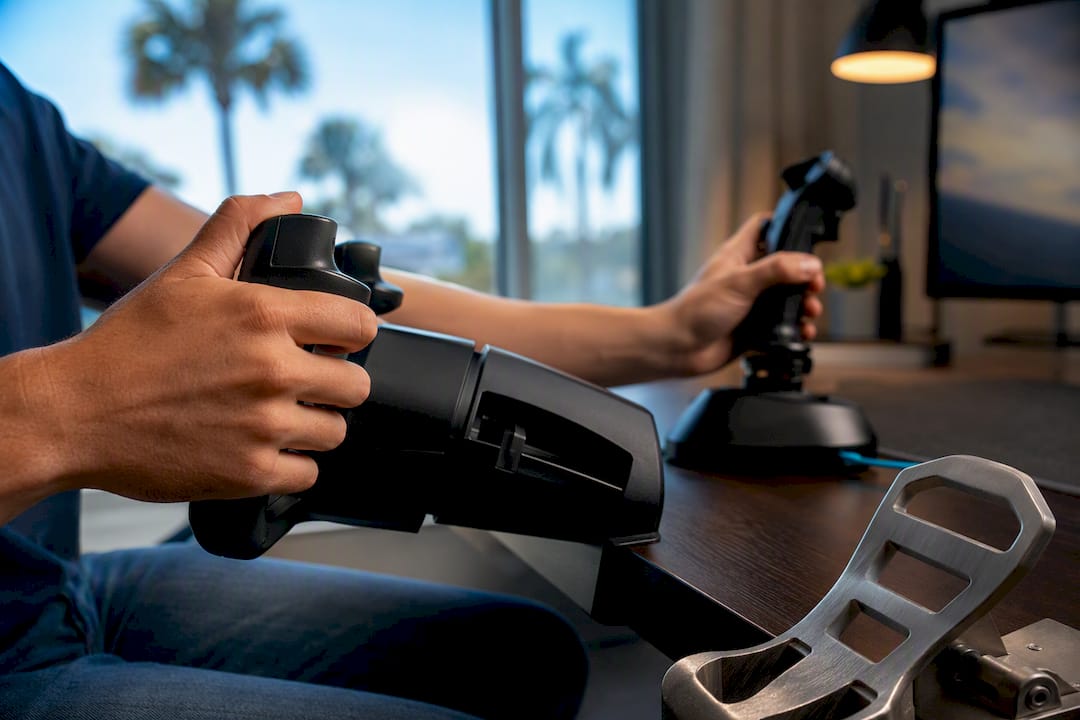
If you’re training toward a Cessna or Piper style GA rating, a yoke gives you the closest match to a real cockpit. If you’re flying jets, helicopters, or need a compact setup that handles multiple aircraft types, a joystick or HOTAS system serves you better. Either way, sensor quality and rudder pedals usually matter more to your results than the shape of the controller in your hand.
TL;DR:
- A yoke offers the most realistic control for general aviation training, especially for aircraft like Cessna 172s, but requires a larger desk space and separate throttle and rudder components.
- A joystick provides more versatility and space efficiency, making it suitable for multiple aircraft types, including helicopters and combat sims, but may train incorrect muscle memory for real-plane footwork.
- Using hardware with hall-effect sensors and adequate rotation range improves longevity and performance, and proper calibration prevents common issues like dead zones or unexpected yaw inputs.
- Matching controllers to specific aircraft types enhances skill transfer during training, as yokes replicate real cockpit geometry, while twist rudder controllers only offer limited directional control for advanced navigation.
- Effective setup, including sturdy mounting, correct calibration, and separate profiles for aircraft, is crucial to prevent control issues that diminish the realism and usefulness of a flight simulator system.
Neither controller wins outright. Each one solves a different problem, and the right pick depends on what you’re flying and why.
A yoke puts your hands in the same place and orientation as a real trainer’s control column, which is exactly why training-focused sim guides recommend it for anyone working toward a Private Pilot License. But it comes with trade-offs:
A joystick solves the space and versatility problem:
If you fly a mix of aircraft types or you’re not sure yet what you want to specialize in, a joystick is generally the more flexible single-device choice. If your sim time exists purely to reinforce PPL training in a yoke-equipped airplane, the yoke earns its desk space.
Skip the brand debates. The decision comes down to five practical factors, and most buyers get at least one of them wrong.
Pro Tip: Buy the whole system in your head before you buy the first piece. A lone yoke with no throttle and no pedals is a common and expensive mistake, since you’ll end up buying the missing pieces anyway, usually at a worse price because you’re shopping in a hurry.
Plan your throttle setup at the same time. A single-lever throttle covers most GA flying, while a full HOTAS (hands on throttle and stick) setup makes more sense if you’re headed toward combat sims or multi-engine simulation work.
Yes, and this is the part most sim shoppers skip past. Hardware choice shapes what habits you actually build during practice.
A yoke matches the control geometry of the aircraft most student pilots train in first, which means pattern work, instrument scan flow, and approach corrections translate more directly to the airplane, as explained in the role of avionics in training for pilots. Rudder pedals matter even more than the yoke itself. Twist-grip rudder on a joystick will get you through a casual flight, but it teaches wrist rotation instead of foot coordination, which is the opposite of what you need for crosswind landings or coordinated turns in a real trainer.
Reviewing what airlines and examiners actually test makes it clear that procedural fluency and coordinated control inputs both carry weight in a checkride, and a sim setup built around the right hardware supports both.
Most complaints about “mushy” or “unrealistic” controls trace back to setup, not the equipment itself.
Pro Tip: If you notice unexplained rudder input while flying straight and level, check for a twist-axis binding left active on your joystick grip even after you’ve added pedals. That overlap is one of the most common invisible conflicts in a mixed setup.
For a full walkthrough of mounting and calibration steps, Flightschoolusa’s guide to flight simulator controls covers the process aircraft by aircraft.
Buy for your goal, not for the biggest bundle on the shelf.
Rainer’s take on this, shaped by watching how students actually progress through flight training, is straightforward: a simulator setup that mirrors your trainer’s cockpit makes practice time count for more. Flightschoolusa builds its programs around efficient skill transfer, and that same principle applies at your desk at home. Use sim time to drill procedures, checklist flows, and instrument scan, then verify those habits in the airplane with an instructor. The two reinforce each other; neither replaces the other. Pair your sim practice with a look at what real flight training requirements actually involve before you invest heavily in either.
— Rainer
Getting your home setup right is a smart move, but it’s worth remembering what it’s actually preparing you for. A joystick or yoke builds familiarity with instruments and procedures; only structured, instructor-led training builds the judgment and stick skills an FAA checkride actually tests. Some flight schools offer accelerated commercial pilot training programs with in-house FAA checkride authority, reducing wait times for practical exams. If your sim sessions have you thinking seriously about the airplane instead of just the screen, take a look at Flightschoolusa’s flight training programs and see how quickly that home practice can turn into a real certificate.


You May Like
