
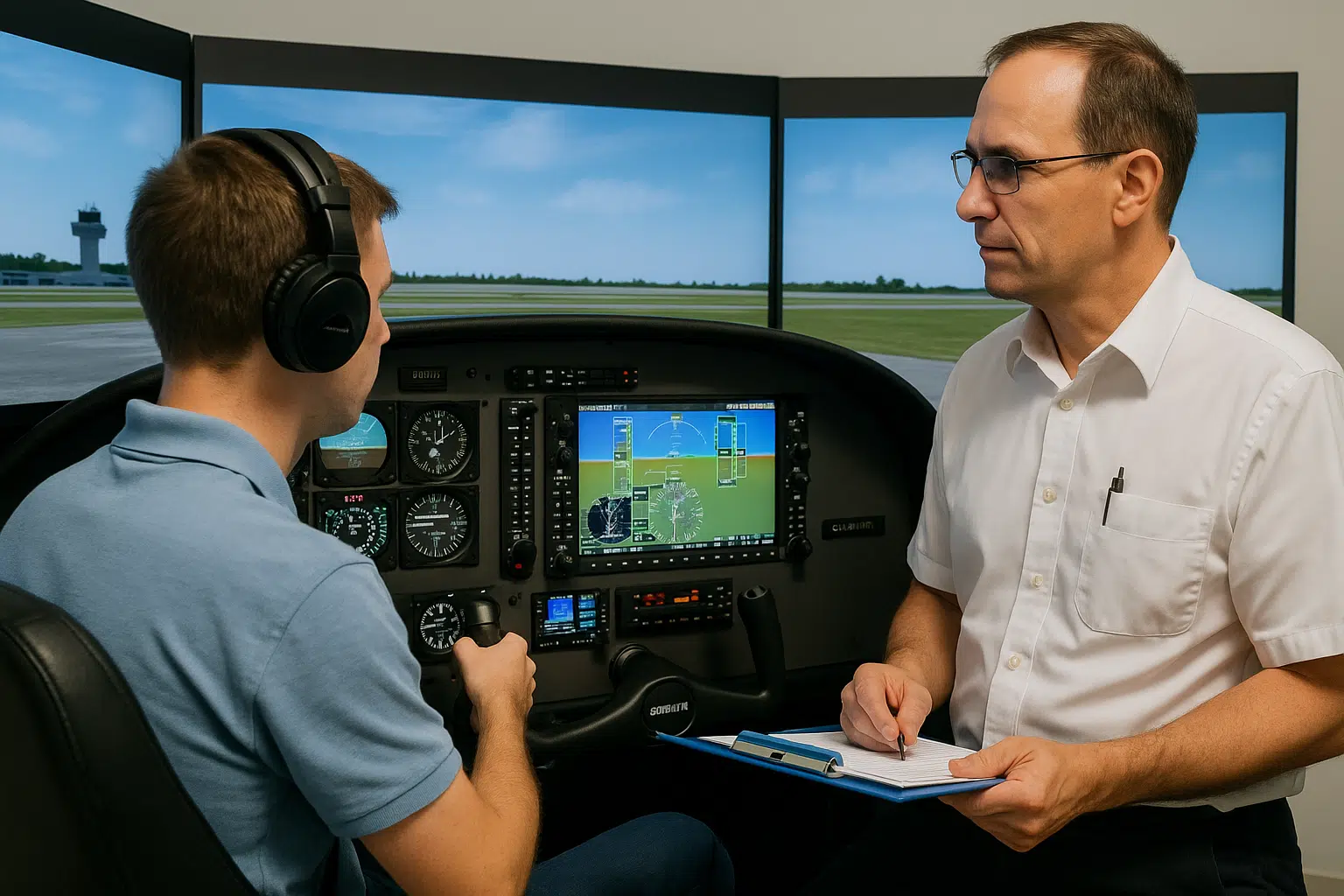
If you plan to log every possible hour toward your license, flight simulator training might be one of the smartest tools you’re underutilizing. Simulators aren’t just backup for rainy days—they’re part of the FAA-approved path to earning your certificate faster, safer, and sometimes even cheaper.
But here’s where most student pilots slip: not all simulator time counts. And logging it incorrectly—whether it’s a missed endorsement, the wrong equipment type, or confusing SIM hours with actual flight time—can mean hours rejected, checkrides delayed, or license applications denied.
This guide breaks down exactly how flight simulator training fits into FAA requirements for PPL, CPL, and ATPL. You’ll learn which simulator types qualify, how much time you can log, and how to record every session the right way—so that what you’re doing on the ground actually counts in the air.
Flight simulator training is exactly what it sounds like—learning to fly without ever leaving the ground. But this isn’t about gaming or hobbyist software. In aviation, simulator training is structured, FAA-recognized instruction conducted in a certified training device designed to replicate real-world flight scenarios in a controlled environment.
These aren’t just generic cockpits with toggle switches. Modern simulators are highly detailed replicas of aircraft systems, complete with realistic flight controls, weather conditions, airspace navigation, and even emergency procedures. There are several types used in pilot training—BATD, AATD, FTD, and FFS—each offering different levels of realism and FAA approval. We’ll break those down in a moment.
For students working toward their first license or experienced pilots training for airline-level qualifications, flight simulator training offers a safe, cost-effective, and focused way to build skill—and log qualifying hours when done correctly.
When it comes to flight simulator training, not every simulator qualifies for loggable flight time. The FAA classifies training devices based on how accurately they replicate aircraft systems and flight conditions. The more advanced the simulator, the more flight time you may be allowed to credit toward your license requirements.
Here’s how each category works:
BATDs are entry-level desktop simulators that replicate basic aircraft systems and instruments. They’re commonly used in private pilot and instrument rating programs for foundational skills—think navigation, basic VFR/IFR procedures, and checklist training.
While BATDs are affordable and widely available in flight schools, their logging allowance is limited. Under Part 61, you can credit a small portion of instrument time—but not total flight time. Still, they’re valuable for practicing procedures without burning fuel.
AATDs offer more realism than BATDs, including expanded instrument panels, navigation systems, and approved flight environments. These are often used for both initial and recurrent training in PPL, IR, and CPL programs.
The FAA permits up to 2.5 hours of AATD time toward the 40-hour minimum required for the Private Pilot License, specifically for instrument training. For instrument and commercial ratings, the allowable time increases significantly, making AATDs one of the most versatile tools in mid-level flight training.
FTDs are high-fidelity simulators that replicate specific aircraft models and are often enclosed to mimic full cockpit environments. They don’t move (like full-motion sims) but provide full instrumentation and system response that mirrors the actual aircraft.
Used primarily in commercial and airline prep environments, FTDs are FAA-approved for a broader range of hour credits, particularly under Part 141 programs. They’re ideal for advanced scenario-based training, including emergency procedures and systems management.
FFS units are the gold standard of simulator training. They include motion systems, full enclosure, high-end visuals, and complete system replication. These are used by airlines, military training programs, and ATP-level flight academies.
FFS sessions can often substitute for real flight time in type rating programs and jet transition courses. Depending on the license stage and training program, these hours can count toward everything from instrument proficiency to ATPL requirements—provided they’re properly logged and instructor-supervised.
Proper use of each simulator category can significantly accelerate your training and reduce costs—but only if the time is logged within the FAA’s strict guidelines. In the next section, we’ll show exactly what simulator time counts toward your total hours, and how to make sure it’s recognized.
Not all flight simulator training is created equal—and not all of it can be logged toward your FAA license. The amount of simulator time that can be credited depends entirely on two things: the category of the device and the type of license you’re pursuing.
Under 14 CFR 61.51(g) and Part 141 guidelines, the FAA defines exactly how many hours you can log from each simulator type. Here’s a simplified overview:
Sim time only counts when:
Important: Flight simulator hours never replace total flight time. They supplement training and fulfill specific sub-requirements—especially for instrument or procedural instruction.
Knowing which simulator hours are valid is one thing—logging them correctly is where most students get it wrong. Whether you’re using a paper logbook or a digital app, simulator time must be logged clearly, consistently, and separately from actual flight time.
Your log entry should include:
Here’s a sample paper log entry:
| Date | Aircraft/Device | Time | Flight Type | Conditions | Notes |
|---|---|---|---|---|---|
| 05/13/2025 | AATD | 1.5 | Dual | SIM / IFR | Instrument approach practice (CFII: J. Smith) |
Digital logbooks like ForeFlight or LogTen Pro typically have fields to mark a session as simulator-based. Use them. Mixing real flight time with simulator time—even accidentally—can disqualify hours or flag your logbook during a checkride or hiring review.
Lastly, remember: simulator sessions must be instructor-supervised to be eligible for logging. The FAA treats simulators as instructional environments, not self-study tools. If you’re practicing at home on Microsoft Flight Simulator or X-Plane, that’s great for learning—but it can’t be logged.
Flight simulators can help reduce your training time and cost—but only if you understand how much time is actually eligible to be logged at each stage. The FAA allows flight simulator training to supplement certain requirements, but the limits are strict and vary by certificate level.
If you’re training for your PPL, you can credit up to 2.5 hours of flight simulator time toward the 40-hour minimum, but only if it’s conducted in an AATD and used for instrument training. These hours can’t replace your core dual or solo flight time, but they are useful for sharpening skills like instrument scans and basic IFR navigation—especially if you’re training in busy airspace or under time pressure.
The CPL stage opens more room for simulator use, especially under Part 141 programs. Students can typically log up to 50 hours of approved simulator time (AATD, FTD, or FFS), covering both instrument and cross-country procedures. These hours must be structured, instructor-led, and fall within the FAA’s allowed activities. Part 61 students may have more limitations, so always confirm with your training provider before counting the time.
At the ATP level, simulators are not just allowed—they’re expected. Most airline prep, type ratings, and recurrent training rely heavily on FTDs and FFS devices. While your total time toward the 1,500-hour requirement must be mostly actual flight time, up to 50 hours of simulator time may be credited for the instrument portion, provided it’s logged correctly and supervised.
Knowing how to balance real flight with qualified flight simulator training is essential if you’re looking to move through your ratings efficiently while staying compliant with FAA regulations.
Even a small mistake in logging simulator time can have serious consequences—especially if it comes up during a checkride or FAA audit. Here are some of the most common errors that cost students valuable credit toward their license.
First, don’t log simulator sessions as actual flight time. It’s a red flag if your totals blend aircraft and SIM hours without distinction. The FAA requires simulator time to be clearly marked and logged under specific conditions. Mixing the two—even by accident—can lead to disqualification of that time.
Another common error is failing to identify the simulator type—AATD, FTD, or FFS—and the context of the training. If the log entry doesn’t specify conditions (such as instrument practice) or lacks instructor supervision, it may not count at all.
Also, logging simulator sessions without a certified flight instructor or instrument instructor (CFI/I) present is a critical mistake. FAA rules require an instructor to supervise the session and verify the log entry. Without that, the time becomes non-loggable—even if it was done in a certified device.
Finally, let’s clear up a popular myth: Microsoft Flight Simulator, X-Plane, and similar consumer-grade sims are not FAA-approved and can never be logged for credit. They’re useful for practice, but they’re not training devices in the regulatory sense.
To get the full benefit of flight simulator training, log your time accurately, follow FAA rules to the letter, and always double-check what your school or examiner expects.
While most students focus on how many simulator hours can be logged toward a license, the real value of flight simulator training goes far beyond the logbook. The best pilots don’t just use simulators to check boxes—they use them to build confidence, refine precision, and prepare for the unexpected.
Simulators allow you to run realistic emergency scenarios, complex IFR procedures, and cross-country flights—all without the stress or expense of actual air time. You can pause, rewind, and repeat maneuvers until they become second nature. It’s the kind of deliberate practice you simply can’t do in the cockpit.
For example, managing weather diversions or engine-out procedures in a real aircraft is overwhelming for most students. In a simulator, those same situations can be trained safely, repeatedly, and at a fraction of the cost. That means fewer hours wasted in the air relearning what could’ve been mastered on the ground.
Flight instructors also use simulators to teach Cockpit Resource Management (CRM)—communication, decision-making, and workload distribution in multi-crew environments. This soft skill training is especially valuable for future airline pilots preparing for multi-crew coordination.
As one CFI recently put it:
“Sim time doesn’t just save money—it saves your nerves. By the time a student enters the actual aircraft, they already know the drill.”
Whether logged or not, flight simulator training offers a safer, smarter way to accelerate your learning curve.
| Question | Answer |
|---|---|
| Can I log hours from Microsoft Flight Simulator or X-Plane? | No. These programs are not FAA-approved for training and don’t qualify as official flight simulator training. |
| What’s the difference between AATD and BATD? | AATDs are more advanced and FAA-approved for a wider range of flight simulator training that can be logged. |
| How many sim hours can I log toward my PPL? | You can log a maximum of 2.5 hours of FAA-approved flight simulator training toward the PPL instrument requirement. |
| Does a simulator session need to be supervised? | Yes. For flight simulator training to count, it must be supervised by a certified instructor and properly logged. |
| Do airlines accept simulator hours during hiring? | Yes—airlines recognize properly logged flight simulator training when it meets FAA standards and is well-documented. |
Contact the Florida Flyers Flight Academy Team today at (904) 209-3510 to learn more about how to do the foreign pilot license conversion in 4 steps.


