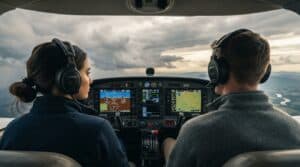

Finding the best flight simulator setup in 2024 feels like flying through stormy weather. Flight simulators have gotten better faster, and they now create an experience so real that both aviation fans and training pilots can benefit from them.
You’ll find everything out there. Simple desktop setups sit alongside sophisticated simulation systems with complete cockpit controls. Professional training demands advanced setups, while beginners need user-friendly platforms to learn. This detailed guide will point you toward the right choice. We’ll look at popular software options and essential hardware parts that match your aviation goals.
This piece shows you how to pick and build the perfect flight simulator that matches what you want to do and what you can spend. Your journey through the world of virtual aviation starts with simple requirements and moves into advanced setups that transform your experience completely.
Learning about different simulator types is significant when choosing the best flight simulator setup that matches your needs. Let’s take a closer look at the main categories and their distinct characteristics.
Your training objectives largely determine the choice between civilian and military simulators. Civilian simulators focus on commercial and private aviation. They offer straightforward systems and information that’s readily available. Military simulators are more complex and provide specialized combat scenarios with advanced weapons systems integration.
| Simulator Type | Key Features | Best For |
|---|---|---|
| Civilian | Commercial aircraft, simplified systems, broader market availability | Flight training, commercial pilots |
| Military | Combat scenarios, weapons systems, complex avionics | Military training, combat simulation |
Professional-grade systems and desktop simulators differ substantially in their certification levels and training capabilities. Here’s what sets them apart:
Professional Grade Systems:
-Full Flight Simulators (FFS) with motion capabilities
-Flight Training Devices (FTD) for specific aircraft configurations
-Aviation Training Devices (ATD) for general aviation training
The best flight simulator setup for professional training must meet strict FAA requirements. Different classification levels determine their training credits. Desktop simulators are more available and offer varying degrees of realism. They serve as excellent learning platforms for beginners.
Virtual Reality has transformed flight simulation by offering unprecedented immersion. Modern VR-enabled simulators provide:
*True-to-life cockpit point of view with crystal-clear visuals
*115° field of view to boost peripheral vision
*Compatibility with major flight simulation platforms
The best flight simulator setup now include VR technology. Options range from consumer-grade headsets to professional solutions. VR integration has made flight simulation more available while maintaining high levels of realism.
Think over your specific needs when choosing between these simulator types. Professional-grade systems offer certified training value at a higher cost. Desktop and VR solutions provide excellent learning opportunities for enthusiasts and student pilots alike.
The latest 2024 releases showcase three standout best flight simulator options. Each simulator brings unique capabilities that cater to different virtual pilots.
MSFS’s newest version packs groundbreaking features that make it a strong contender for the best flight simulator in 2024. The game comes with remarkable improvements such as:
-A complete Career System with various specializations
-Worldwide Aviation Careers and Challenge League system
-Ground detail accuracy increased by 4,000 times
-Cloud streaming reduces installation size to about 30GB
X-Plane 12 proves to be the best flight simulator for realistic flight dynamics. The simulator earned its nickname “pilot’s simulator” and remains the only home simulator with an FAA flight training-certified version.
| Feature Category | Capabilities |
|---|---|
| Flight Dynamics | Ultra-realistic modeling, removed artificial damping |
| Weather System | Advanced precipitation effects, realistic cloud formations |
| Aircraft Range | 23 models of all types including commercial, military, and general aviation |
| Storage | Much smaller footprint than MSFS |
DCS World provides exceptional combat simulation features for pilots looking for the best flight simulator in military aviation. The package includes:
-Free base software with premium aircraft modules
-Detailed study-level aircraft systems
-Complete 44-page quick-start guide
-Active multiplayer community for squadron-based missions
Comparison of Best Flight Simulator Setup Options:
| Simulator | Best For | Storage Required |
|---|---|---|
| MSFS 2024 | Civilian aviation, photorealistic scenery | 30GB (cloud-based) |
| X-Plane 12 | Professional training, flight dynamics | Moderate storage needs |
| DCS World | Military combat simulation | Base game + modules (60-70 USD each) |
Your specific needs will guide your choice of the best flight simulator. MSFS 2024 shines with visual fidelity and accessibility. X-Plane 12 leads in professional training. DCS World rules the military simulation space. These platforms excel as the best flight simulator setup options in their respective categories.
Your hardware setup plays a vital role in running the best flight simulator software in 2024. Let’s look at the components you’ll need to create an amazing virtual cockpit experience.
Here are the baseline specifications you’ll need to run a best flight simulator setup:
| Component | Minimum Requirement |
|---|---|
| CPU | AMD Ryzen 2600X or Intel i7-6800K |
| RAM | 16GB |
| GPU | NVIDIA GTX 970 or AMD RX 570 |
| Storage | 150GB SSD |
| Internet | 20 Mbps |
You’ll get the most out of your best flight simulator setup with these specs:
| Component | Recommended Specs | Performance Impact |
|---|---|---|
| CPU | AMD Ryzen 7 7800X3D or Intel i9-14900K | Improved processing |
| RAM | 32GB DDR5 | Smoother operation |
| GPU | RTX 4080 or RX 7900 XT | Superior graphics |
| Storage | 1TB NVMe SSD | Faster loading |
| Internet | 50 Mbps | Better streaming |
These configurations will improve your best flight simulator setup performance by a lot, especially in busy areas and complex weather conditions.
Make your best flight simulator setup last with these advanced specs:
-64GB RAM handles high-resolution textures and detailed environments
-A 1000W or 1300W power supply keeps your system stable
-GPUs with 12GB+ VRAM support 4K resolution gaming
RAM usage goes beyond 24GB in detailed areas of your best flight simulator. The RTX 4090 stands out as the top choice for 4K gaming and VR applications. Storage makes a big difference – NVMe SSDs transfer data much faster than regular SATA SSDs.
A good best flight simulator setup needs the right monitor too. While you don’t need gaming monitors, a 4K display with HDR will make everything look better. Multi-monitor setups work great, just make sure your GPU can handle the extra work.
Your CPU and GPU choices matter most in a best flight simulator setup. These components affect your simulation experience directly. The right hardware choices today will serve you well in the future too.
The right controls and peripherals create your ultimate best flight simulator setup experience. Your choice of flight controls will substantially affect how you interact with your aircraft simulator.
Starting with simple controls makes sense for entry-level flight simulation without spending too much. The Logitech Extreme 3D Pro makes an excellent starting point, priced at under $50. This best flight simulator controller has:
| Feature | Benefit |
|---|---|
| Built-in Throttle | Simple engine control |
| Twist Grip | Rudder control without pedals |
| Multiple Buttons | Essential cockpit functions |
Your best flight simulator setup can move to the next level with mid-tier options. The Thrustmaster TCA Sidestick delivers an authentic Airbus experience with Hall effect sensors that provide precise control. Boeing enthusiasts will appreciate the Thrustmaster TCA Yoke Boeing Edition’s 1:1 replica of the 787 airliner yoke.
A solid mid-range best flight simulator setup should have:
| Component | Price Range | Key Features |
|---|---|---|
| Throttle Quadrant | $100-$200 | Multiple engine control |
| Rudder Pedals | $150-$300 | Precise steering control |
| Yoke/Stick | $200-$400 | Hall effect sensors |
Professional-grade equipment delivers unmatched realism in your best flight simulator setup experience. The Honeycomb Alpha Flight Controls ($280) delivers exceptional build quality and precision. VIRPIL Controls system gives modular flexibility with prices starting at $260 for the base and $100 for grips in your best flight simulator setup.
Professional setups typically feature:
-MFG Crosswind pedals with Hall sensors for precise rudder control
-Dedicated throttle quadrants with multiple axis control
-Advanced yoke systems with 180-degree rotation
Joysticks cost less than yokes in your best flight simulator setup, with prices from $30-$200 compared to $100-$400 for yokes. Your preferred aircraft type should guide your choice in your best flight simulator environment.
Aircraft-specific controls matter in creating a realistic best flight simulator experience. Airbus, Cirrus, and Diamond aircraft use sidestick controls, while most general aviation aircraft feature yokes. This detail should guide your peripheral selection for authentic simulation.
A careful budget plan helps you build your ideal best flight simulator setup. Let’s look at the investment needed at different levels to help you decide about your simulation trip.
You don’t need to spend a fortune to start flight simulation. A simple best flight simulator setup costs about $2,500 to $3,000. Here’s what an entry-level package has:
| Component | Approximate Cost |
|---|---|
| Entry-Level Gaming Computer | $1,595 |
| Basic Flight Controls | $225 |
| Navigation Bundle | $749 |
| Display (40″ TV) | $250 |
| Software (X-Plane) | $60 |
A mid-range setup improves your best flight simulator experience with better realism. These setups typically $7,000 to $10,000 and include:
| Component | Professional Features | Cost |
|---|---|---|
| High-End Computer | Advanced Graphics | $2,999 |
| G1000 Suite | GPS/Autopilot | $238 |
| Premium Controls | Yoke/Throttle/Pedals | $579 |
| Ultra-wide Display | 49″ Curved | $800 |
This mid-range best flight simulator investment gives you boosted training capabilities and realistic flight experiences. Serious flight training enthusiasts and advanced simulation fans will find this setup ideal.
Professional-grade setups offer a unique best flight simulator experience. These configurations have:
-Complete cockpit replicas with authentic controls
-Professional-grade motion platforms
-Multiple high-resolution displays
-FAA-approved training capabilities
A professional best flight simulator setup ranges from $17,495 for a basic professional configuration to over $28,000 with motion platforms. Your investment includes:
| Professional Component | Cost |
|---|---|
| Cirrus Cockpit System | $11,999 |
| High-End Computer | $2,999 |
| Professional Pedals | $599 |
| Curved Display | $899 |
| Frame System (Optional) | $999 |
Your best flight simulator setup should match your goals – recreational flying, professional training, or anything in between. You can start with an entry-level system and upgrade components as your needs grow. The best setup matches your requirements and budget while giving you the realistic aviation experience you want.
A perfect environment for your best flight simulator setup needs good planning and attention to detail. Let’s reshape the scene of your space into an immersive cockpit that will give a better simulation experience.
Your ideal best flight simulator space needs proper planning to perform well. You need a minimum room size of 120cm behind the cockpit entry to access it comfortably. The layout requirements are:
| Setup Type | Minimum Space | Recommended Space |
|---|---|---|
| Basic Desktop | 2m x 2m | 3m x 3m |
| Multi-Monitor | 3m x 3m | 4m x 4m |
| Full Cockpit | 4m x 4m | 5m x 5m |
Your best flight simulator setup gets more heat, especially when multiple displays and computers run together. You need proper ventilation or air conditioning for long flying sessions.
Your best flight simulator equipment needs systematic organization. Here’s how to make your installation better:
-Mount projectors on the ceiling instead of the simulator to avoid image wobbling
-Place computers on either side of the cockpit for easy access
-Install power management systems with inrush current limiters to protect equipment
Power needs for your best flight simulator setup typically include:
| Component | Power Requirement |
|---|---|
| Basic Setup | 220V/16A single line |
| Multi-Display | 220V/20A dedicated |
| Full Cockpit | Multiple 220V circuits |
The right configuration of your best flight simulator software will give optimal performance. Start with these key steps:
Your best flight simulator experience depends heavily on proper hardware fine-tuning. 98% of flight simulator users use a joystick or yoke, and 86% use separate throttle controls. About 60% of users add rudder pedals to their setup for a more immersive experience.
Note that your best flight simulator setup should make accessibility and comfort a priority. The main display should be at eye level with all controls within easy reach. Users with multi-monitor setups should think over curved displays or proper viewing angles to create a natural field of view.
Getting the most out of your best flight simulator takes more than just hardware and software. The right learning resources and training programs are a great way to get the most from your setup. Here’s how you can make the most of your learning with the best training tools available.
Your learning starts with training resources that come with your best flight simulator software. Microsoft Flight Simulator has detailed tutorials that cover eight key areas:
| Training Category | Skills Covered |
|---|---|
| Basic Controls | Flight environment familiarization |
| Attitudes & Instruments | Fundamental flight management |
| Takeoff & Landing | Essential flight operations |
| Navigation | Flight planning and execution |
X-Plane 12, another best flight simulator choice, gives you text-based instruction that focuses on general aviation basics. You’ll learn taildragger takeoffs and get detailed traffic pattern training.
The Flight Sim Association (FSA) provides rich resources to boost your best flight simulator experience. Members get:
-Access to detailed “getting started” guides
-Live and recorded webinars with industry experts
-Special discounts on simulation products
Advanced best flight simulator training comes from YouTube channels where real airline pilots share specialized tutorials:
-AviationPro: Boeing 777 & 787 operations
-flightdeck2sim: Detailed Boeing 737 instruction
-320 Sim Pilot: Detailed Airbus training
Your best flight simulator setup merges with professional training programs to enhance learning. Professional instructors now use:
| Feature | Benefit |
|---|---|
| Screen Sharing | Real-time instruction via Zoom |
| FSC Link Software | Monitor control inputs remotely |
| Weather Control | Dynamic scenario creation |
Some programs offer FAA-approved instruction when you’re picking the best flight simulator for professional training. Gleim Aviation’s X-Plane Flight Training Course (XFTC) gives you structured private pilot training with video content and checkpoints.
Professional flight instructors make your best flight simulator experience better by:
-Helping you avoid common simulation pitfalls
-Providing up-to-date regulatory information
-Assisting with real-life EFB tool integration
Modern best flight simulator training programs use artificial intelligence for performance analysis. FlightSmart, developed with IBM, gives you:
-Objective analysis of crew performance
-Customized training paths
-Identification of performance gaps
Online communities provide regular training events and shared resources to maximize your best flight simulator learning. These platforms are excellent sources of peer support and expert guidance as you advance in your virtual aviation experience.
Your best flight simulator goes beyond simple software capabilities. The right add-ons and advanced features can turn your virtual cockpit into a remarkably realistic aviation environment.
Your best flight simulator can reach new heights with third-party modifications. These are the available options in 2024:
| Add-on Type | Features | Compatibility |
|---|---|---|
| FlyByWire A32NX | Study-level systems, real pilot input | MSFS 2024 |
| Salty’s 747-8 | Enhanced EICAS, realistic wingflex | MSFS 2024 |
| Global AI Ships | Worldwide vessel traffic, realistic routes | All platforms |
These additions to your best flight simulator boost realism by a lot. The FlyByWire A32NX makes the default A320neo more realistic with improved system depth and functionality. Over 30 real A320 pilots contributed to its development.
Your best flight simulator‘s weather experience benefits from sophisticated meteorological modeling. Modern simulators make use of advanced weather data through services like Meteoblue, offering:
–250 million atmospheric measurement boxes worldwide
-60 vertical layers from ground to stratosphere
-Up-to-the-minute weather updates and forecasting
The best flight simulator weather systems now account for:
| Weather Feature | Simulation Detail |
|---|---|
| Wind Patterns | Multiple altitude layers |
| Precipitation | Rain, snow, and ice effects |
| Cloud Formation | Dynamic development and dissipation |
| Visibility | Variable conditions based on weather |
Your best flight simulator experience reaches new heights with advanced ATC options. PilotEdge delivers professional-grade ATC services. VATSIM connects you with volunteer controllers up to the minute.
Your best flight simulator ATC options include:
| Service | Key Features | Training Value |
|---|---|---|
| PilotEdge | Professional controllers, strict procedures | High |
| VATSIM | Global network, volunteer controllers | Medium |
| IVAO | As with VATSIM, different regions | Medium |
These advanced integration features can create the ultimate best flight simulator experience:
-Real-world air traffic control communications streaming
-Structured training progressions for ATC communication
-Integration with professional training programs
Third-party utilities can boost your best flight simulator setup:
-Sky4Sim Pad – Feature-rich electronic flight bag
-Auto FPS – Automatic performance optimization
-Little Navmap – Complete flight planning tool
Compatibility with your existing setup matters when choosing add-ons for your best flight simulator. Many developers provide their own installation managers to keep add-ons updated easily. The most authentic experience comes from add-ons that match your real-life aircraft plans.
The best flight simulator experience stems from carefully selected complementary add-ons that boost your specific training or entertainment goals. A rich ecosystem of third-party content supports your virtual flying experience, whether you focus on commercial aviation, military operations, or general aviation.
Setting up your best flight simulator involves several important elements. You need to pick the right software and hardware and plan how you’ll learn. The perfect setup depends on what you want to achieve and how much you can spend.
A starter setup gives you room to grow into more sophisticated equipment. The best flight simulator for you might be Microsoft Flight Simulator 2024 with its amazing graphics, X-Plane 12 for professional training, or DCS World if you love military aircraft. Each platform brings something different to the table.
| Key Consideration | Action Items |
|---|---|
| Hardware Setup | Match components to chosen simulator |
| Controls | Select appropriate yoke/stick configuration |
| Training Resources | Join communities and access learning materials |
| Add-ons | Choose relevant third-party content |
The best flight simulator setup grows with your skills naturally. Start with the basics, learn the core operations, and build your virtual cockpit as you improve. High-end hardware and advanced add-ons can revolutionize your simulation, but proper training is vital for success.
Virtual aviation begins with these simple principles. Smart choices about simulator components and dedicated training time will help your virtual piloting skills reach new heights.
Contact the Florida Flyers Flight Academy Team today at (904) 209-3510 to learn more about how to pay for flight school.