
Інфармацыя аб кар'еры пілота авіякампаніі

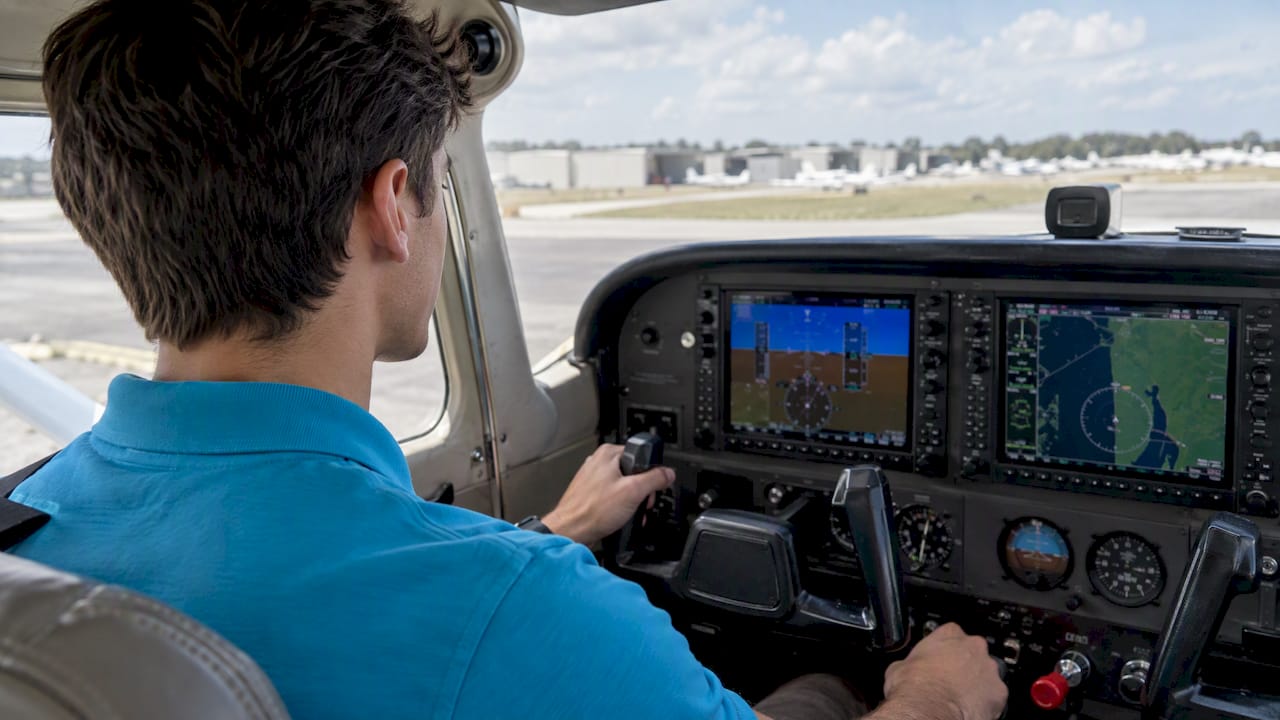
A glass cockpit transition is not a button-pushing exercise. It is a change in how you scan, how you manage attention, and how you think about failures. Pilots who treat it as an equipment checkout tend to learn the menus and miss the system logic. Pilots who treat it as structured training end up with a scan they can trust when a display misbehaves. This guide covers what actually changes, how to train for it, which simulator hours count, and how to choose the right system and instruction.
On paper, glass looks like a simplification. Six round instruments become one or two screens, the moving map sits in front of you, and the autopilot is often a few buttons away. In practice, the information is the same, but its presentation and the way you must manage it are different.
Сканаванне. With steam gauges you cross-check discrete dials and build the picture yourself. On a primary flight display, airspeed and altitude are vertical tapes, attitude fills the background, and trends are drawn for you. The Kitplanes guide to the glass transition describes a common early trap: chasing digital numbers and over-controlling pitch instead of holding a pitch attitude, or fixating on the display and losing situational awareness.
Увага. FAA Transition Training guidance compares the shift to moving from an automatic car to a stick shift: it is still a car, but you must know how to operate what is new. The real skill is keeping an external visual scan while managing integrated information on the screen.
Аўтаматызацыя. Autopilot and flight director modes add a layer that analog panels rarely had. You must know what the system is doing, why, and how to take it back.
Failure behavior. A failed gauge on a six-pack is a single failed gauge. A failed display, sensor or data source on a glass panel can change what you see in several places at once, and the correct response depends on understanding the architecture behind it.

Pilots often ask whether glass is simply better. It is better at some things and demands more of you in others.
| Вобласць | Traditional (steam gauges) | Glass cockpit |
|---|---|---|
| Attitude and trend information | Built by the pilot through cross-check | Presented on a single display with trend cues |
| сітуацыйная дасведчанасць | Separate navigation sources | Moving map, terrain and traffic integrated |
| Сканіраванне | Needle-by-needle | Tape-based, with a risk of fixation on the screen |
| Рэжымы адмовы | Mostly isolated and visible | Can cascade; require knowledge of system logic |
| Трэніровачная нагрузка | Lower for the panel itself | Higher up front, especially for IFR use |
| Аўтаматызацыя | Часта мінімальны | Common, and must be managed deliberately |
The advantages of glass are real: clearer presentation, integrated weather and terrain, and consistent layouts across aircraft. But the NTSB study cited above found that glass-equipped aircraft showed no measurable improvement in overall accident rates compared with analog-equipped ones. The study notes that these aircraft were more often flown single-pilot, on longer trips, and on IFR flight plans, so the comparison is not simple. The practical lesson is the one the NTSB itself draws: better displays do not replace training, and the instrument is only as good as the pilot’s understanding of it.
The most useful standard for any transition plan is the oldest one: aviate, navigate, communicate, in that order. Every screen, page and mode exists to serve those three tasks. When the display becomes overwhelming, you do not troubleshoot the avionics first. You fly the airplane, then return to a known screen configuration.
That is why we tell students to build three habits before touching advanced features:
The NTSB warns that familiarity with screen menus is easily mistaken for mastery of the aircraft. Its safety study stresses that emergency procedures are not the time to be learning system logic. So before the first flight, you should be able to explain, without the screen in front of you:
This is the “black box” trap: relying on the screen for everything without knowing why it shows what it shows. Pilots who avoid it study the logic as seriously as the knobs.
The FAA guidance on transition training recommends a disciplined schedule and standard study topics: performance limitations such as weight and balance and airspeeds, abnormal and emergency procedures, and system-specific operating limitations. It also suggests practicing with your instructor about twice a week, because skills fade quickly between sessions when the interface is new.
A sensible sequence looks like this:
Academic work on this subject points the same direction. Research on the analog-to-digital move suggests that early performance drops are tied to the new interface rather than to higher workload, which means a formal syllabus helps the performance dip pass sooner. Treat any dip in your first hours as normal, and plan the syllabus around it instead of hoping to fly through it.
Pilots often assume that hours on a home flight simulator can be logged. They cannot, unless the device is approved. Under FAA Advisory Circular 61-136B, credit toward certificates and ratings requires an FAA-approved basic or advanced aviation training device (BATD or AATD), and you should verify the device’s letter of authorization and current status before logging anything. Consumer desktop software is still valuable for rehearsing flows and button sequences, but it is practice, not logged time.
For Part 141 instrument training, the limits are specific. According to LegalClarity’s summary of the Part 141 rules, up to 40% of total training hours can be in an FTD or AATD, BATD credit is limited to 10%, and all devices combined cannot exceed 50% of the course hours. That structure is one reason a Part 141 syllabus is a natural home for glass training: the approved devices are built into the course rather than bolted on. If you are weighing the two routes, our guides to Part 141 versus Part 61 і what Part 141 means explain the differences, and our page on гадзіны працы трэнажора інструмента covers how the credit works in practice. For the broader case for simulation, see Перавагі навучання на авіясімулятары.

If you are renting or buying, the right system is the one you will actually train on and fly regularly. Use these criteria:
For instruction, look for a syllabus rather than a series of ad hoc flights, an instructor who is comfortable teaching failures as well as features, and access to an approved training device so that practice hours can also be logged hours.
We train commercial pilots, and almost every student who walks in has to be fluent in glass before they reach an airline. Whether you started on steam gauges and are upgrading, or learned on glass and are moving back to analog for a rental, the discipline is the same: fly the airplane, understand the architecture, and rehearse the failure before it happens.
What we see is that students who treat glass as a system to be understood, rather than a screen to be operated, pass checkrides with less stress and carry that habit into multi-engine and airline work. The ticking of a Hobbs meter is also a budget line, so structured preparation matters financially: arriving at each lesson having rehearsed the flows in an approved or desktop trainer means the aircraft hour is spent on flying, not on finding pages.
Our advice is simple. Schedule the practice frequently, study failures before features, and insist on an instructor who will let you work through the uncomfortable parts. Proficiency here comes from discipline, not from the quality of the display.
— Райнер
At Florida Flyers Flight Academy, glass cockpit proficiency is part of the pathway to a professional career. Our glass cockpit training page describes an 8-week route from desktop practice to an AATD for U.S. pilots. If you are building toward the airlines, the Праграма лётнай школы авіякампаніі з фіксаванай цаной is published at $85,900 one-off, and the Праграма кар'еры пілота авіякампаніі ЗША at $49,950 one-off. For ratings along the way, see our праграма падрыхтоўкі да кваліфікацыі па прыборах і поўны спіс курсы падрыхтоўкі пілотаў.
It depends on the system, your experience and whether you will fly IFR. Transitioning for VFR use takes noticeably less time than training for IFR, where autopilot and approach functions come into play. Rather than aiming at a fixed number of hours, aim for a standard: you can fly the aircraft by attitude, run the system without fixating, and handle display failures calmly.
Не аўтаматычна. NTSB’s study found no measurable improvement in overall accident rates for glass-equipped light aircraft. The displays provide better information, but the safety benefit depends on training, especially for emergencies and automation management.
Only if the device is an FAA-approved BATD or AATD with a valid letter of authorization, as described in Пераменны ток 61-136B. Consumer desktop software is useful for practicing procedures but does not generate loggable time by itself.
FAA transition training guidance suggests practicing with your instructor about twice a week. Frequent short sessions help the new scan pattern settle, and ground practice on a simulator fills the gaps between flights.
Treating it as learning where the buttons are. The common failures are fixating on the display, chasing digital numbers, and knowing the menus without knowing the system logic. Study failures and reversion before advanced features.


